 bloomz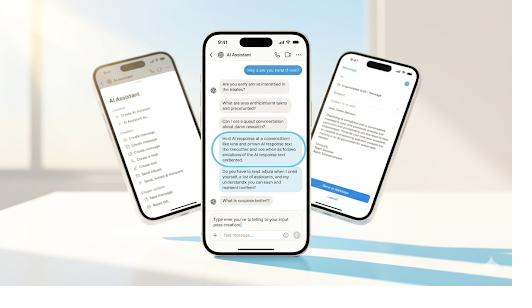
Part of our guide to AI in K-12 communication.
A middle school teacher with 130 students owes each family regular communication, and the math does not work. There is no version of the school day that leaves room to write 130 thoughtful updates, translate the ones that need it, and still flag the three kids whose attendance just started slipping. Something gets dropped. Usually it is the communication, because grading and instruction come first.
This is the gap assistive AI is built to close. Done right, it hands teachers back the minutes that the routine parts of communication eat up, and it leaves every decision that actually requires a teacher with the teacher. The distinction between those two things is the whole game.
Assistive versus autonomous
An autonomous tool acts on its own. It would write the message and send it, decide which student needs an intervention and trigger it, and run without a person in the loop. That model has no place in a classroom, where the stakes are children and the context is human.
Assistive AI works the other way. It drafts, it suggests, it surfaces, and then it stops and waits for a person. The teacher reads what the AI produced, changes what needs changing, and decides whether it goes out at all. The AI never has the last word, because the last word belongs to the educator who knows the student. That is the line Bloomz AI (BLISS) holds, and it is the same principle behind what AI should and shouldn’t do in school communication.
Where AI genuinely gives time back
The savings are concentrated in a handful of recurring tasks. None of them require a teacher’s judgment to start. All of them benefit from a teacher’s judgment to finish.
Drafting messages
A teacher needs to tell families about a schedule change, a field trip, or a rough week in the classroom. Writing the first version from a blank screen is slow. The AI can produce a solid draft from a short prompt in seconds, and the teacher edits it to fit the actual situation and tone. The draft is scaffolding. The teacher supplies the substance and presses send.
Translating across languages
A class might include families who speak five or six different home languages. Writing to each one by hand is impossible, and asking families to translate on their own end shifts the burden onto them. AI translation across hundreds of languages lets a teacher reach every family in the language they actually use, in seconds. The teacher still controls what is said, and for high-stakes conversations a human interpreter still belongs in the room.
Summarizing and catching up
After a stretch of back-and-forth with a family, or a long thread of class messages, a quick summary saves real time. The AI can condense it so a teacher walks into a parent conference already oriented instead of scrolling through weeks of history.
Surfacing which students need attention
This is the one with the most leverage and the one where the line matters most. The AI can look across attendance and behavior data and flag patterns a busy teacher might miss, like a student whose absences are quietly clustering. What the AI does is surface the pattern for staff. What it does not do is make a determination about the student or decide what happens next. A person looks at the flag, applies context the data cannot see, and chooses the response. The AI points. The educator acts.
Why control is the feature
It is tempting to read “a human has to approve everything” as a limitation, a speed bump on an otherwise faster tool. Read it the other way. The approval step is the part that makes the tool safe to use on real families and real children.
A draft that goes out unreviewed can get the facts wrong, miss the tone a particular family needs, or send something a teacher would never have phrased that way. A pattern that triggers an automatic action can misread a situation that any teacher would have understood in context. The human checkpoint is what keeps the time savings from turning into a new category of risk. You get the speed of a first draft and the safety of a final read by someone who knows the kid.
What to look for
When evaluating a tool for your teachers, a few questions sort the assistive from the autonomous quickly. Does a person approve every message before a family receives it? Can the AI ever send on its own? When it surfaces a student pattern, does it stop at surfacing, or does it make calls about the student? Is student data kept private and never sold or shared? The answers tell you whether the tool reduces workload or quietly introduces something you will have to govern later.
The goal is narrow and worth stating plainly. Take the routine weight off teachers so they have more time for the work only they can do, and keep them in control of every choice that touches a student or a family. A tool that does both gives time back without taking anything important away.
If you want to see what that looks like with your own staff and your own communication patterns, Schedule a demo.