
Part of our One Platform vs Point Tools cost-of-ownership guide.
Ask a superintendent how many communication tools the district pays for, and the answer is usually a number that turns out to be low. Not because anyone is hiding anything. The tools accumulated over years, bought by different departments to solve different problems, and no one ever sat down to count them all in one place. The real total is almost always higher than the guess.
That gap matters because you cannot make a sound decision about consolidation without knowing what you are consolidating. Before anyone debates whether to switch platforms, the district needs an honest inventory.
How sprawl accumulates
No district sets out to run seven overlapping tools. It happens one purchase at a time.
A mass notification system gets bought after a safety incident, because the board wants robocalls and texts to reach every family fast. A translation service gets added when the multilingual population grows and the front office can no longer keep up by hand. A behavior or PBIS tool comes in through a grant. Forms move online through one vendor, the district website lives with another, and parent-teacher conference scheduling runs on a third that the secretaries found and liked.
Each of these solved a real problem when it was bought. The issue is that no one looked across them. Five or seven separate logins, five or seven renewal cycles, five or seven support relationships, and a fair amount of overlap that no single person ever notices because no single person touches all of them.
A practical inventory method
You do not need a consultant for this. You need a spreadsheet and a couple of hours with the people who hold the contracts. Build a simple table with one row per tool and these columns.
What it is and what it does
List every tool that touches family or staff communication. Be generous about scope. Include the website host, the form builder, the mass notification system, the translation service, the conference scheduler, the behavior tracker, the survey tool, and the email blast service. Write one plain sentence describing what each one is actually used for, not what the sales page promised.
What it costs and when it renews
Pull the annual cost and the renewal date for each. Renewal dates matter as much as price, because they tell you when you have leverage and when you are locked in. A tool that auto-renews in three weeks is a different decision than one with eight months left. Note the contract term too, since multi-year deals change the math.
Who owns it and who uses it
Name the department or person responsible for each contract. This single column surfaces the most surprising findings. You will often discover that two departments bought tools that do nearly the same thing, or that a tool someone is paying for has not been logged into in a year.
Where it overlaps
Once the rows are filled in, scan for duplication. Does your website host also offer forms you are paying a separate vendor to provide? Does the mass notification tool already send translated messages, making the standalone translation service partly redundant? Overlap is where the easy savings hide.
The costs that never show up on an invoice
The license fees are the visible cost, and they are usually the smaller half of the picture. The larger half is staff time, and it never appears on any contract.
Consider what a tool sprawl actually does to the people who use it. Staff switch between five or six systems in a day, each with its own login, its own layout, and its own quirks. The same student roster gets entered or imported into multiple tools, and when a family moves or a phone number changes, someone updates it in several places or, more often, forgets one. Every new hire sits through several onboardings instead of one. Every tool carries its own support contract, its own outages, and its own vendor calls when something breaks.
These costs are real money, just harder to see. An hour a week of duplicate data entry across a district of administrative assistants adds up to a salary line over a year. The mental tax of context-switching slows everyone down in ways no invoice records. When you build your inventory, add a rough column for staff time, even if it is just a guess, because leaving it out understates the true cost of running things the way you do now.
Using the inventory to decide
With the table complete, the consolidation question becomes concrete instead of abstract. You can see the total license spend, the overlap, the staff-time drag, and the renewal dates that tell you when you can act without penalty.
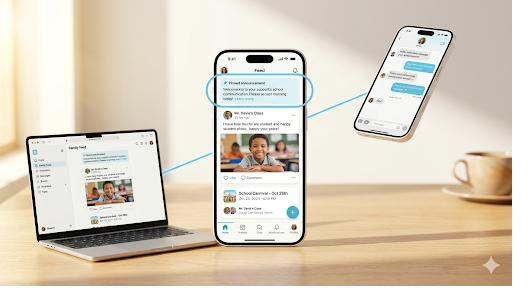
Now you have something to compare against. A single platform that covers notification, forms, website, translation, conferences, and behavior replaces a stack of rows in your spreadsheet with one line. The comparison is no longer a vague feeling that “we have too many tools.” It is a defensible, numbers-backed case you can take to a board.
Bloomz publishes its transparent pricing openly, starting at three dollars per student per year and free for parents, so you can drop the real number into your inventory and run the comparison yourself. No quote required to see what consolidation would cost. We dig into the operational side of fragmentation in the cost of fragmented communication, and the budget side, including how to fund a switch without new money, in stretching a Title I budget.
The inventory is worth doing even if you decide to change nothing. Knowing exactly what you pay for, in dollars and in hours, is the foundation for every decision that follows. Most districts find the exercise pays for itself in clarity alone. Schedule a demo and we will help you map your current stack against one platform.