
Part of our School Communication Platforms Compared buyer’s guide.
A communication platform RFP fails most often before a single vendor responds. It fails when the requirements list is a wishlist of features nobody weighted, so the scoring rewards whoever checks the most boxes rather than whoever fits the district. This guide is for the person who has to write that document and defend the recommendation to a board.
Run it well and the RFP does two jobs at once: it gets you a platform that works, and it gives you a paper trail showing why you chose it.
Structure the RFP around how your district actually works
Start with a short context section before the requirements. Describe the district plainly: enrollment, number of schools, the top home languages of your families, your current SIS, and the tools you are hoping to consolidate or retire. Vendors who read it will tailor their response. Vendors who ignore it tell you something useful too.
Then organize requirements into weighted categories rather than a flat checklist. A flat list treats “supports GIFs in messages” the same as “translates the entire app for non-English families.” Those are not the same, and your scoring should not pretend they are.
The requirement categories that actually matter
Seven categories carry most of the weight in a district communication RFP. Define each one with a real-world acceptance test, not a yes/no checkbox.
Translation depth and RTL
Ask specifically: is it the message only, or the full application? Many platforms translate the text of a notification while the menus, forms, and navigation stay in English. For a parent who does not read English, that is a partial solution. Require vendors to state how many languages they cover, whether the entire interface translates, and whether right-to-left languages like Arabic and Urdu render correctly. Bloomz, for reference, does full-app immersive translation in 250-plus languages with RTL support, which is a useful benchmark to write into the spec.
Behavior, PBIS, and SEL
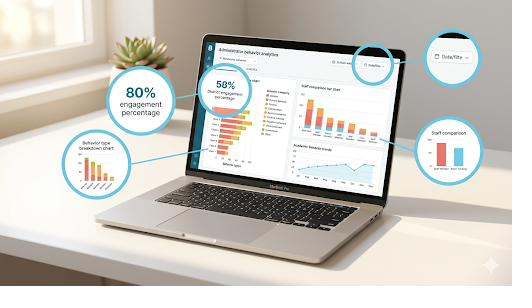
If your district runs a behavior framework, decide whether it belongs inside the communication platform or stays a separate tool. Native PBIS and SEL functionality means one login and one data set instead of a spreadsheet bolted onto a messaging app. This is a real differentiator: some strong communication vendors have no behavior module at all, so make the requirement explicit if it matters to you.
SIS integration
Name your SIS in the RFP and ask for districts of comparable size already integrated with it. Request the sync method, the refresh frequency, and who owns the connection when a roster changes mid-year. Vague answers here predict painful onboarding.
Security and compliance
Require specifics, not logos. Ask about FERPA and COPPA compliance, a signed data privacy agreement, and the security posture of the hosting infrastructure. Be precise in how you read answers: a vendor whose cloud infrastructure is SOC 2 certified is not the same claim as the vendor itself holding a SOC 2 Type II report, and both are legitimate but different. Make vendors state exactly which applies.
Pricing transparency
Ask for a locked, per-student price and the contract length over which it holds. Some vendors publish pricing openly; others are quote-only, which makes budgeting and board approval slower. There is nothing wrong with requesting a quote, but a published number lets you model cost before procurement even begins. Bloomz publishes from $3 per student per year and is free for parents, which is the kind of figure you can drop straight into a budget memo.
Implementation and migration
Ask who owns the migration. Is data import, SIS setup, and staff training run by the vendor, or handed to your already-stretched IT team? Get a named timeline and a single point of contact in writing.
Accessibility
Require WCAG conformance for the web and mobile apps, screen-reader support, and a VPAT. A platform families cannot use is not a communication platform.
The questions that separate vendors
Five questions cut through polished demos faster than any feature grid:
- Does a human approve anything that reaches families? Some platforms let a single click blast the whole district. Ask whether there is an approval workflow and who holds the keys.
- Does translation cover the full app or only the message? You already wrote this into the spec. Ask it again live and watch how precisely they answer.
- Is pricing locked for the contract term, or can it move? Get the renewal terms, not just year one.
- Who owns the migration, start to finish? A confident vendor names a person and a date.
- What does your platform replace? If a vendor can retire five to seven of your existing tools, the consolidation savings belong in your cost model alongside the license fee.
Scoring and weighting
Score on a simple scale, 1 to 5, against each weighted category, and set the weights before responses arrive so no one can tune them to a favored vendor afterward. For most districts the heaviest weights land on translation and equity, compliance, SIS integration, and total cost, because those are the areas where a wrong choice is hardest to reverse.
Write your weights down and circulate them to the committee before the proposals open. It protects the process and it protects you.
The mistake to avoid
The most common RFP error is scoring on feature counts. A platform with 200 features it does not fit your district can lose to one with 40 that do. Tie every requirement back to a real workflow: a Somali-speaking parent reading a permission form, a counselor logging an SEL check-in, a registrar pushing a roster change at 4 p.m. on enrollment day. Score the fit, not the inventory.
When you are ready to put a vendor through this process, the Bloomz platform overview shows what one consolidated platform covers, and our transparent pricing gives you a number to score before the first call. If you are early and still mapping the field, the best ParentSquare alternatives is a useful starting point for your shortlist.
Build the RFP around your district, weight what matters, and the right choice tends to surface on its own. Schedule a demo and put Bloomz up against your criteria.