See the side-by-side comparison on Bloomz vs Honeycomb.
If your PTA or PTO uses Honeycomb, you know why parents like it. It gives them something most schools never do: a directory of the families in their child’s class, a shared calendar, and an easy way to reach each other. Room parents can finally put faces to names.
This guide is for PTA presidents and room parents weighing a move to Bloomz. It covers what carries over, what works differently, and a one-week plan for getting every family across without losing anyone along the way.
What your families will recognize
The directory. In Bloomz, every class and group has a member list that shows families’ names, photos and children. Parents can see who is in their child’s class and who the other parents are. Phone numbers and email addresses are not shown to other parents. When parents want to reach each other, they send a Bloomz message, so nobody has to hand out a personal number to a group of near-strangers.
Both parents, one account each. Every parent or guardian linked to a child gets the same posts, events and messages, so no one has to be the “primary parent.”
Parent-to-parent conversations. Parents can message each other one-on-one or in group chats, with photos and files. In a PTA group, parent messaging is on unless your admins turn it off. If your PTA’s group sits under your school in Bloomz, it follows the school’s setting.
A shared calendar. Your PTA group has its own calendar. Families subscribe once from Google Calendar, Outlook or Apple Calendar, and every event you add, move or cancel updates on their phones without anyone re-importing.
What works differently
Two things Honeycomb does, Bloomz does not do today, and it’s better you hear that from us now than discover it in week two.
Bloomz does not build the calendar from your school’s emails. Most schools publish their calendar as a feed (Google Calendar and most school websites offer one). Your PTA imports that feed into its group calendar once, and the school’s dates appear alongside your own events. One-off dates from a flyer or a teacher’s email are added by an admin or room parent, which takes about a minute each.
There is no carpool-matching tool. Families who carpool usually already know each other from the directory. In Bloomz, they start a group message with the families involved, and a room parent can add a recurring event if the carpool should appear on the calendar.
If either of those is the main reason your community uses Honeycomb, tell us when you book a demo. It helps us decide what to build next.
What your PTA gains
A directory and a calendar bring families together. The work of a PTA happens after that, and that’s where Bloomz does more.
- Events with RSVPs. Families answer in the app, so the headcount is in one place instead of scattered across texts.
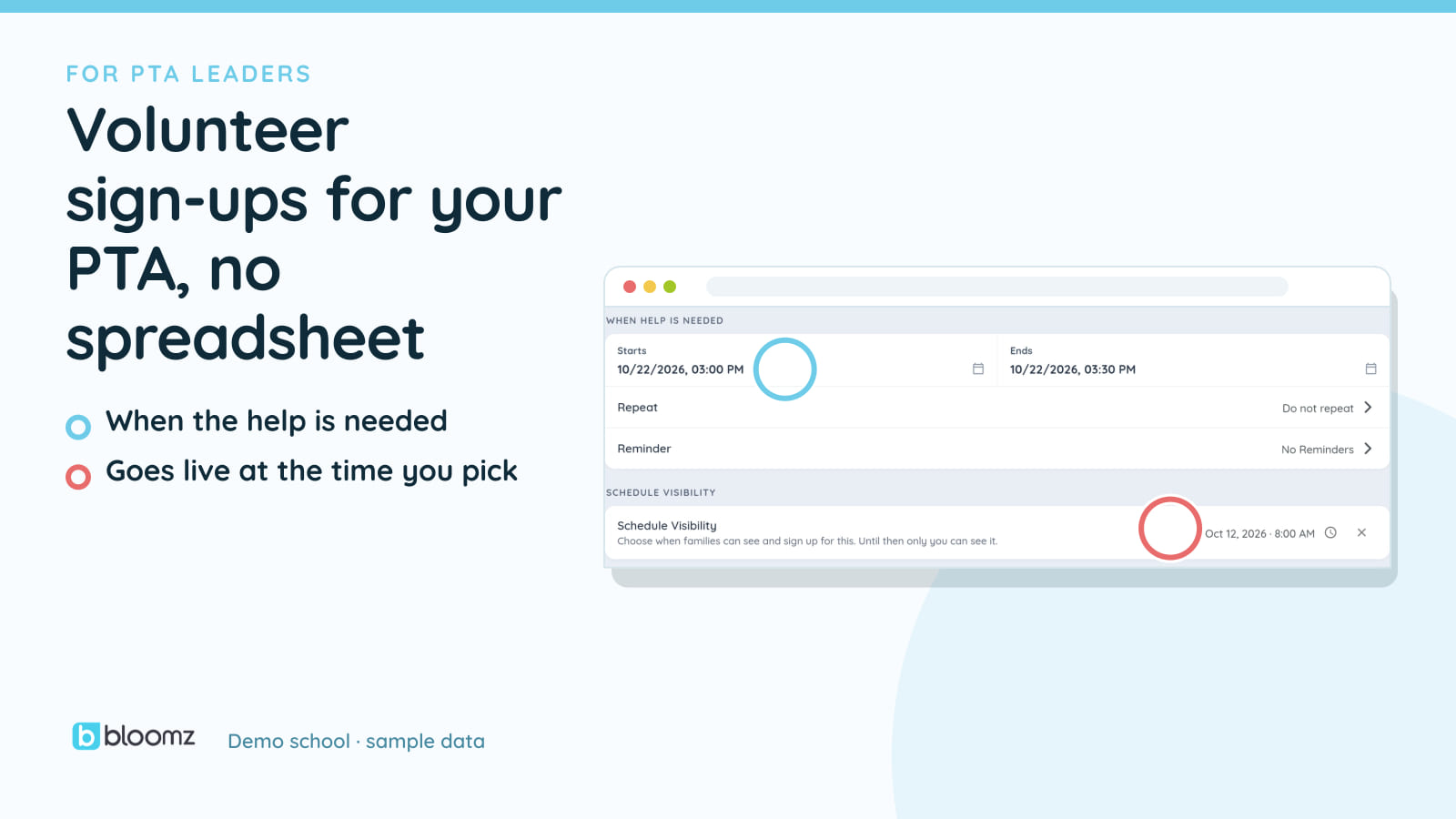
- Volunteer sign-ups that fill themselves. Add slots to an event, each with a capacity and a per-person limit: three people for setup, two for the bake sale table, one per family. Sign-ups close on the date you choose. No spreadsheet, no reply-all thread. We walk through it in volunteer and event sign-ups without the chaos.
- Forms and newsletters. Permission slips with e-signatures and a newsletter builder are part of Bloomz Premium and up.
- More when your school runs Bloomz. School staff can log volunteer hours and export them at the end of the year, and donations and ticket sales can go through the school’s Bloomz Pay.
Every family, in their language
Most PTAs know the pattern: the same twenty parents show up to everything, and the families who read little English stay on the edges. A directory in English doesn’t change that.
Every screen of the Bloomz app appears in the family’s own language, across more than 250 languages. Arabic, Urdu and Farsi read right to left, with the layout mirrored. On school plans, messages and posts are translated both ways, so a parent who reads Vietnamese gets your note in Vietnamese and their reply comes back to you in English, and families who never open the app still get your messages by text or email. You can read more on how full-app translation works.
Bloomz runs on iPhone, Android and the web, and it is always free for families.
A one-week plan for the move
Day 1: Set up the group. Create your PTA’s group in Bloomz and add your board as admins. Add a sub-group for each class if your room parents run class-level activities, and make each room parent an admin of their class’s group.
Day 2: Bring the calendar over. Import your school’s published calendar feed, then add the PTA’s own events for the rest of the semester. Put volunteer sign-up slots on the events that need helpers.
Day 3: Invite families. Paste the parent email list you already keep into the invite. Send a text invitation to families you reach by phone. Print the group’s QR code for the next pickup line, meeting or school event.
Days 4 to 5: Make it worth opening. Post something families want in the first week: the volunteer sign-up for the fall festival, photos from the last event, or the room parent introductions. People come back to an app that already has their next thing in it.
Days 6 to 7: Close the gap. Check who hasn’t joined yet and ask room parents to message those families directly. Point everyone to Bloomz in your newsletter and at the next meeting.
Questions PTA leaders ask
Can school staff read our parent conversations? In a PTA group that stands on its own, conversations stay between the parents in them. When your school also runs Bloomz, school administrators can review conversations among their school’s members, which many schools require for student safety. If that matters to your community, say so up front so parents know what to expect.
What if our school already uses Bloomz? Then your families already have the app. Your PTA’s group sits beside the school’s own classes and channels, with one login and one directory, and the school’s Bloomz Pay for any money you collect.
What does it cost? Bloomz is always free for families. Book a demo and we’ll walk your board through the move and the plan that fits your PTA.