
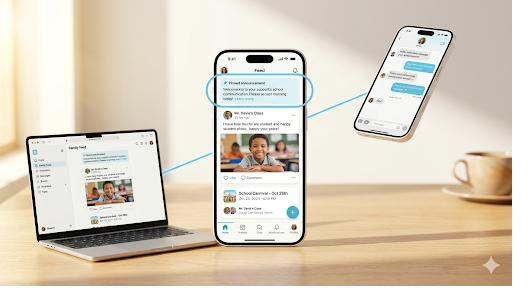
Part of our One Platform vs Point Tools cost-of-ownership guide.
A district can run six communication tools and only ever see six invoices. The invoices are the easy part to find. Everything else, the time, the rework, the families who never got the message, lives outside the contract and rarely gets counted. That is where most of the real spending happens.
When a district compares vendors, the line-item price tends to dominate the conversation. A point tool that handles mass notification for a dollar less per student looks like a win on the spreadsheet. The problem is that the spreadsheet only captures the part of the cost that arrives as a bill. The larger expense, the part that drains staff hours and erodes reach, is invisible until you go looking for it.
What fragmentation actually costs
Start with the people. A front-office secretary who sends an attendance alert in one system, a translated newsletter in another, and a field-trip form in a third is paying a tax on every task. Each switch means a separate login, a separate interface, and a separate set of quirks to remember. Those few minutes per task look trivial in isolation. Multiply them across every staff member, every building, and every school day, and the hours add up to a real salaried cost that no vendor ever quotes you.
Duplicate data entry sits right next to it. When your notification tool, your forms tool, and your conference scheduler each keep their own roster, somebody has to keep all three in sync. A family moves. A student changes sections. A parent updates a phone number. In a single platform that update happens once. Across a fragmented stack it happens three or four times, by hand, and every manual sync is a chance for the records to drift apart. Drift is not just annoying. It is the reason a message bounces or reaches the wrong household.
Then there is onboarding. Five tools means five rollouts, five rounds of staff training, five help articles to write, five sets of parent instructions to translate and distribute. New hires in August have to learn the whole constellation. Each tool also brings its own support contract, its own ticket queue, and its own renewal cycle to track. The district office ends up managing vendors as a part-time job nobody was hired to do.
The costs that compound quietly
A few of these expenses do not just add up, they multiply.
Integration maintenance is one. If you have wired your student information system into several tools, every roster sync is a connection that can break, and every vendor update can break it. Someone in IT owns that fragility, and the work spikes at exactly the busiest time of year.
Security and privacy review is another. FERPA and COPPA obligations do not scale down because a tool is small. Each vendor that touches student data needs its own data privacy agreement, its own security questionnaire, and its own periodic review. Six vendors means six review cycles. One vendor means one. We have written more about how this quietly inflates a budget in how many tools is your district really paying for.
The most expensive gap of all does not cost the district money directly. It costs reach. When systems do not talk to each other, families fall through the seams. A parent who only opted into texts in the notification tool never sees the form that lives somewhere else. A multilingual family gets the alert in English because the translation feature is in a different product they were never enrolled in. The message technically went out. It just did not land. For a Title I school measured on family engagement, that miss carries a cost that dwarfs any license fee.
How to surface the numbers
You cannot manage a cost you refuse to estimate, so estimate it. The exercise is not complicated.
List every tool that touches school communication, with its annual price and renewal date. Then, for each one, write down who logs into it and roughly how often. Ask a few front-office staff to walk you through a normal week and count the system switches. Put a dollar figure on that time using real loaded salary numbers. Add the hours IT spends on integrations and roster syncs, and the hours the district office spends on vendor management and privacy reviews. None of these figures need to be precise to be useful. Even rough numbers usually reveal that the operational cost rivals or exceeds the license spend.
Once you have that picture, the comparison between a point tool and a platform changes shape. The cheaper tool was only cheaper on the invoice. When you fold in the switching time, the duplicate entry, the extra training, the extra review, and the lost reach, the math often flips. The fuller version of this calculation, including the engagement cost, is laid out in the cost of fragmented communication.
Why a platform changes the equation
Consolidation removes the tax instead of negotiating it down. One platform means one login, one roster, one training, one privacy review, one renewal, and one vendor relationship. Mass notification, translation, behavior and PBIS, forms, your website, and conferences sit in the same place and share the same data, so an update entered once is correct everywhere. Bloomz is built to replace the five to seven point tools a district is juggling, and it publishes its price so the comparison is honest from the start. You can see the Bloomz transparent pricing starting at three dollars per student per year, locked for the contract term, and free for every parent.
The hidden costs are real even though no one mails you a bill for them. Count them once, and the case for consolidating tends to make itself. To see what a single platform looks like against your current stack, Schedule a demo.