A boil-water notice is one of the more common emergencies a small city’s public works department has to communicate, and one of the least forgiving. A water main break, a treatment disruption, or a pressure drop can trigger a notice on short notice, it has real health consequences if missed, and it typically only affects part of the service area, not the whole city. That combination — urgent, health-critical, and geographically specific — is exactly what most general-purpose notification setups handle badly. This is an operational playbook for doing it well, independent of which platform you use.
Who needs to know
Start with the list, because a boil-water notice has more recipients than it might seem:
- Residents and businesses in the affected neighborhoods, obviously, but precisely those neighborhoods — not the whole city, which both under- and over-communicates: it desensitizes residents outside them to future alerts and buries the people who actually need to act.
- Schools and childcare facilities in the affected neighborhoods, which need to know immediately given the population they serve.
- Restaurants and food-service businesses, which have specific operational requirements when a boil order is active.
- Medical facilities, including dialysis centers and other water-dependent care settings, for the same reason.
- Public works and utility staff themselves, so the field crews addressing the underlying issue and the office fielding resident calls are working from the same notice at the same time.
Which channels, and why more than one
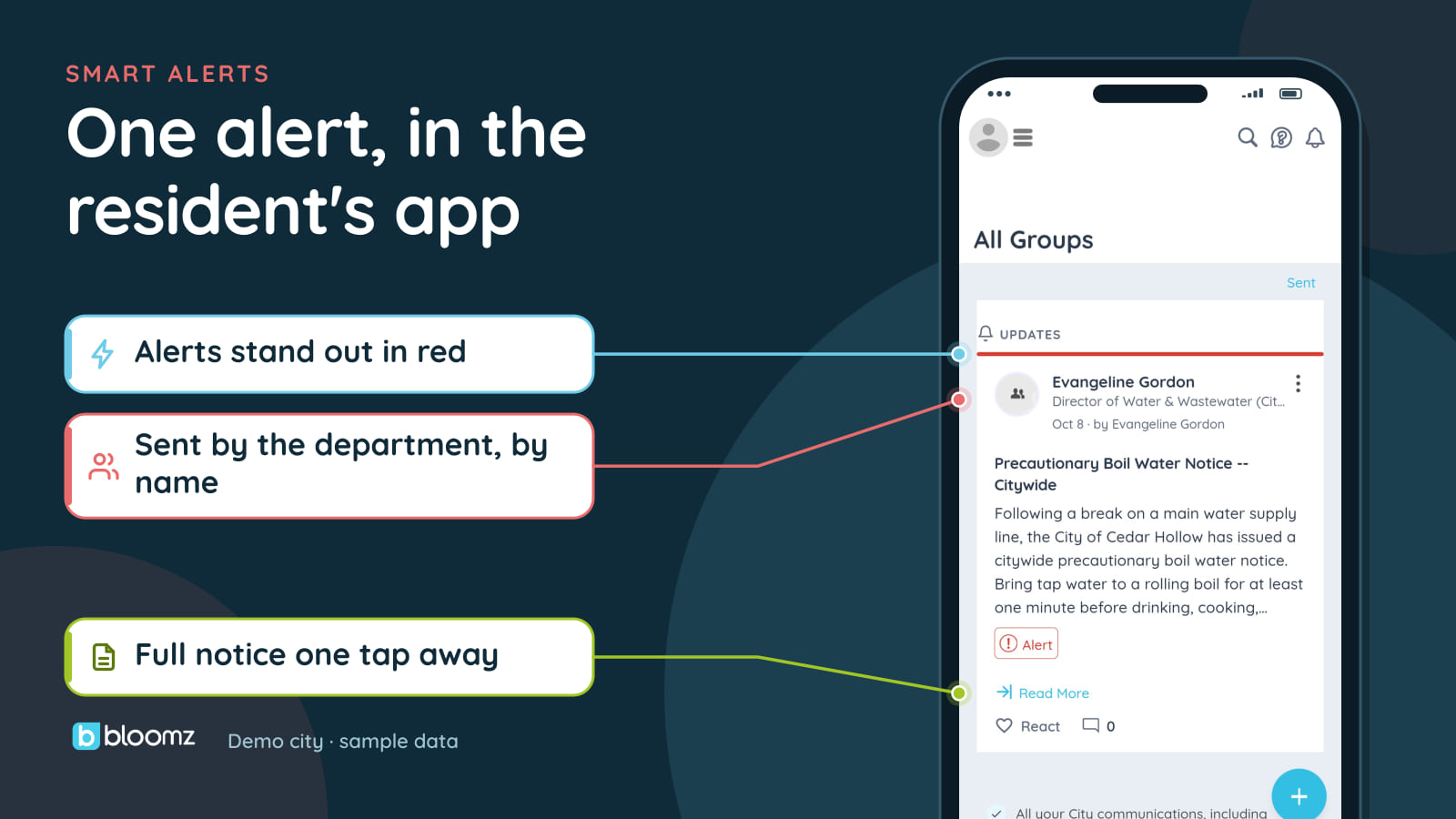
A boil-water notice is exactly the case where single-channel notification fails predictably. Email-only misses residents who don’t check it regularly. App-only misses residents who haven’t installed the city’s app. The standard for an emergency of this kind is the same as for severe weather: app push, SMS, email, and automated voice call, sent simultaneously rather than in sequence, so the notice reaches whichever channel a resident happens to be watching at that moment. Smart Alerts is built around exactly that simultaneous, multi-channel send, with automatic National Weather Service severe-weather rebroadcast for the notices that overlap with a weather event.
Neighborhood targeting
The single most common mistake in boil-water communication is sending it citywide because the tool doesn’t make neighborhood targeting easy. A notice that goes to the entire city when only three neighborhoods are affected trains residents to tune out future alerts — the classic false-alarm effect — and it makes the real message harder to act on, because residents outside the affected area have to figure out on their own that it doesn’t apply to them.
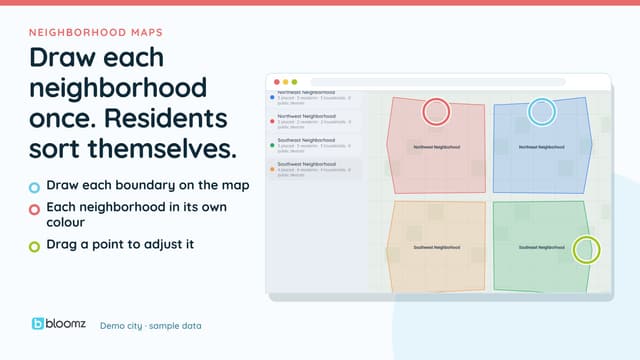
Neighborhood targeting solves this by tying the notice to the neighborhoods actually affected. In Bloomz, a city draws each neighborhood boundary once, or imports GeoJSON or KML, and residents are placed in their neighborhood automatically. An alert then targets neighborhoods by choosing them as recipients. The notice should only reach the households actually affected, and it should be simple enough for on-call staff to send during an active incident, not something that requires a GIS specialist at 11pm.
Language: the notice has to be understood, not just delivered
A boil-water notice a household can’t read is not a delivered notice. This is where translation depth matters more than almost any other notice type, because the instructions (boil for one minute, use bottled water for infants, discard ice made during the period) have to be followed correctly, not just acknowledged. Outbound translation gets the notice into a resident’s language. Two-way translated conversation matters here too: a resident should be able to reply and ask “does this affect my street” or “how long will this last” in their own language and get a translated answer back, rather than a one-way blast they have no way to follow up on.
Delivery proof: knowing who you actually reached
During an active boil-water incident, “we sent it” and “the affected households know” are different claims, and the gap between them is where liability and health risk live. A live delivery view — which households have been reached on at least one channel, which numbers bounced, which haven’t opened the app notification — lets staff make a follow-up call to the specific households the automated channels didn’t reach, instead of guessing. That delivery record also becomes the documentation a city needs afterward: if a resident or a health department asks whether and when notice was given, a timestamped delivery log answers it, rather than a staff member’s memory of a chaotic afternoon.
National Weather Service rebroadcast adjacency
Boil-water events frequently follow or coincide with severe weather — a storm that causes a main break, a flood that compromises a treatment plant. Automatic National Weather Service rebroadcast means severe-weather warnings for your area flow into the same notification system residents already use for city alerts, so a resident isn’t toggling between a weather app and a city app during an event that’s touching both. It also means your team isn’t manually relaying NWS warnings on top of managing the boil-water response itself.
A simple pre-incident checklist
Most of what makes a boil-water notice go well happens before the incident, not during it:
- Neighborhoods are set up ahead of time, so on-call staff choose the affected ones as recipients under pressure instead of drawing anything.
- Templates exist for the notice itself (boil instructions, duration, affected area) so nobody is writing copy during the incident.
- The school and childcare contact list is current, and those contacts are flagged for automatic inclusion when their neighborhood is targeted.
- Multi-channel send is the default, not an option someone has to remember to select.
- Someone owns the delivery-status check 30-60 minutes after the send, to trigger manual follow-up calls to unreached households.
The bottom line
A boil-water notice is a short list of operational requirements — the right people, every channel at once, the right geography, a language the household understands, and proof of who was reached — done under time pressure. Building the checklist before the next incident, on a platform that can target by neighborhood and reach every channel simultaneously, is what turns “we sent it” into “the households that needed to know, knew.” See how Smart Alerts handles neighborhood-targeted, multi-channel notices, or look at the full Bloomz for Cities platform.