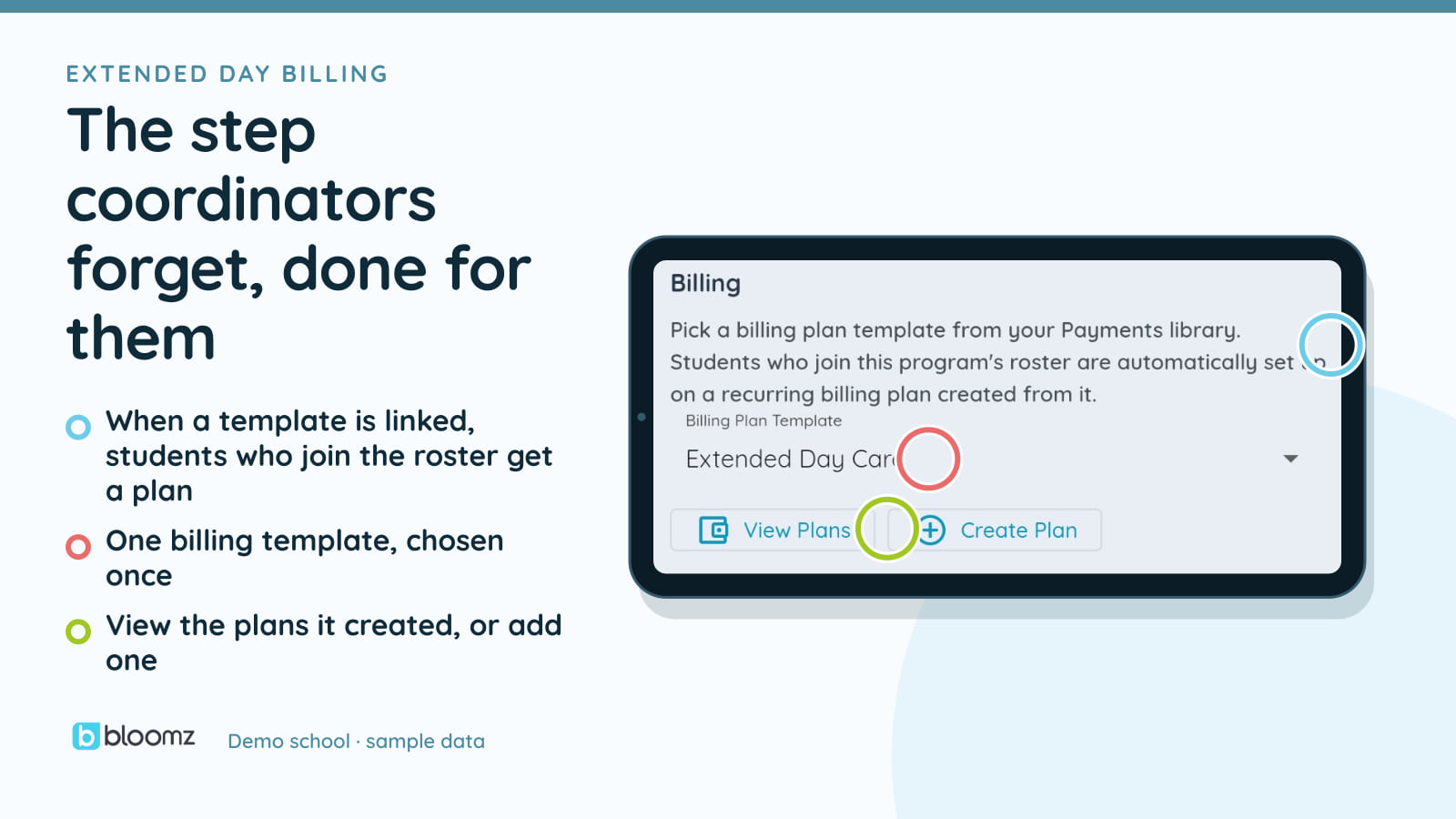
Somewhere in most schools’ after-school program is a second job nobody signed up for: a coordinator who enrolls a student on a roster, then has to remember to go set up that family’s billing separately — pick the right plan, get the amount right, don’t forget the kid who joins in October. Miss a step and either the program eats the cost or a family gets a bill three months late.
Extended Day Billing closes that gap. Enroll a student in an after-school program and their recurring billing plan is created for you, in the same motion, from the program’s own plan template.
Enrollment mints the plan — automatically, and only once
Every Extended Day program can be linked to a billing plan template — the same template a coordinator would pick from when building a plan by hand. Once that link exists, adding a student to the program (one at a time, or in bulk) checks for that link and, if it’s there, creates the student’s plan from it. No separate billing step, no second form.
It’s built to be joined and left without ever double-billing. If the student already has an active plan from that template, nothing new is created. If they had one that was paused — because they left the program earlier and are now back — that plan is resumed, not duplicated. The activity shows up in the school’s billing feed either way, so a coordinator can see exactly what happened and when.
This only fires for after-school program enrollments, never for a student joining an ordinary class. And it needs two things already true at the school: Bloomz Pay turned on, and the program actually linked to a plan template. Without both, enrollment behaves exactly as it always has — nothing new happens, and nothing breaks.
The nightly sweep does the rest — it already existed
Creating the plan doesn’t create a bill by itself. The same nightly job that has always run your tuition and fee plans — posting invoices when they come due and charging the families already set up on autopay — simply picks up these new plans the next time it runs. There’s no second billing engine here, no new job to babysit. Extended Day billing just gives that existing engine something to do that it couldn’t do before.
That matters for what to expect on day one: a plan created today doesn’t invoice today. It invoices on its own schedule, the same way every other recurring plan does.
Leaving the program pauses one plan, not the family’s account
When a student leaves the after-school program — but stays enrolled at the school — only that program’s plan pauses. Their tuition, their other fees, anything else billing them keeps running untouched. That’s a deliberate choice: leaving one program is not the same event as leaving the school, and billing shouldn’t treat it that way.
The pause is never silent. It lands as an activity entry naming the program, in the same feed as everything else billing does. And because it’s a pause and not a cancellation, if the student rejoins later, the enrollment hook above resumes the exact same plan instead of starting over.
What this isn’t
A few limits worth saying plainly. Autopay still depends on the family having a payment method on file — the plan being created automatically doesn’t mean a charge fires automatically for a family who hasn’t set that up; their invoice posts and waits for payment like any other. Rosters enrolled before this feature was turned on aren’t backfilled — a coordinator can re-add those students or use the plan wizard’s bulk step to catch them up. And this doesn’t touch CACFP or other subsidized-meal reporting; it’s the tuition-and-fees loop only.
Where it lives
Extended Day Billing is part of Bloomz Pay and the Extended Day module, and like every module here it’s enabled per school by your district, not switched on for everyone by default. If your school runs an after-school program, ask your Bloomz admin whether it’s turned on.
See it alongside the rest of the after-bell platform on the Extended Day and Bloomz Pay pages, or read how it fits the bigger picture in After the Bell: Athletics, Extended Day, and the Rest of Campus Life.