Ask a parent what happened at school today and you’ll get the answer every parent knows by heart: “Fine.”
It isn’t that nothing happened. A child arrived at 8:04, took a hall pass to the nurse at 9:32, rested in the clinic at 10:15, got recognized for kindness at 1:05, worked through fractions with a tutor at 2:48, and was picked up — verified by staff at the curb — at 3:12. Every one of those moments was seen by someone at school. None of them could reach home, because the systems that saw them have never been connected to the app families actually open.
This back-to-school, that changes. Welcome to the new Bloomz — 44 product enhancements and 50+ new modules you can add, and with them a claim we chose carefully: Bloomz is now the only unified whole-day, whole-child platform for schools.
Why this is hard to build
Communication tools can’t see the school day; safety tools can’t reach the family. Many communication platforms were built around the message, not around dismissal, hall pass, visitor, clinic, or bus events. Many safety and operations vendors own some of those events but have little relationship with families — no daily app, no translation, no two-way messaging. Each side is missing the half the other has.
Bloomz spent years building both halves: the family relationship (messaging, translation in 250+ languages, feeds, conferences) and, now, the operational day. Put them on one student record and something becomes possible that communication tools and safety tools can’t do alone.
The Student Day Timeline
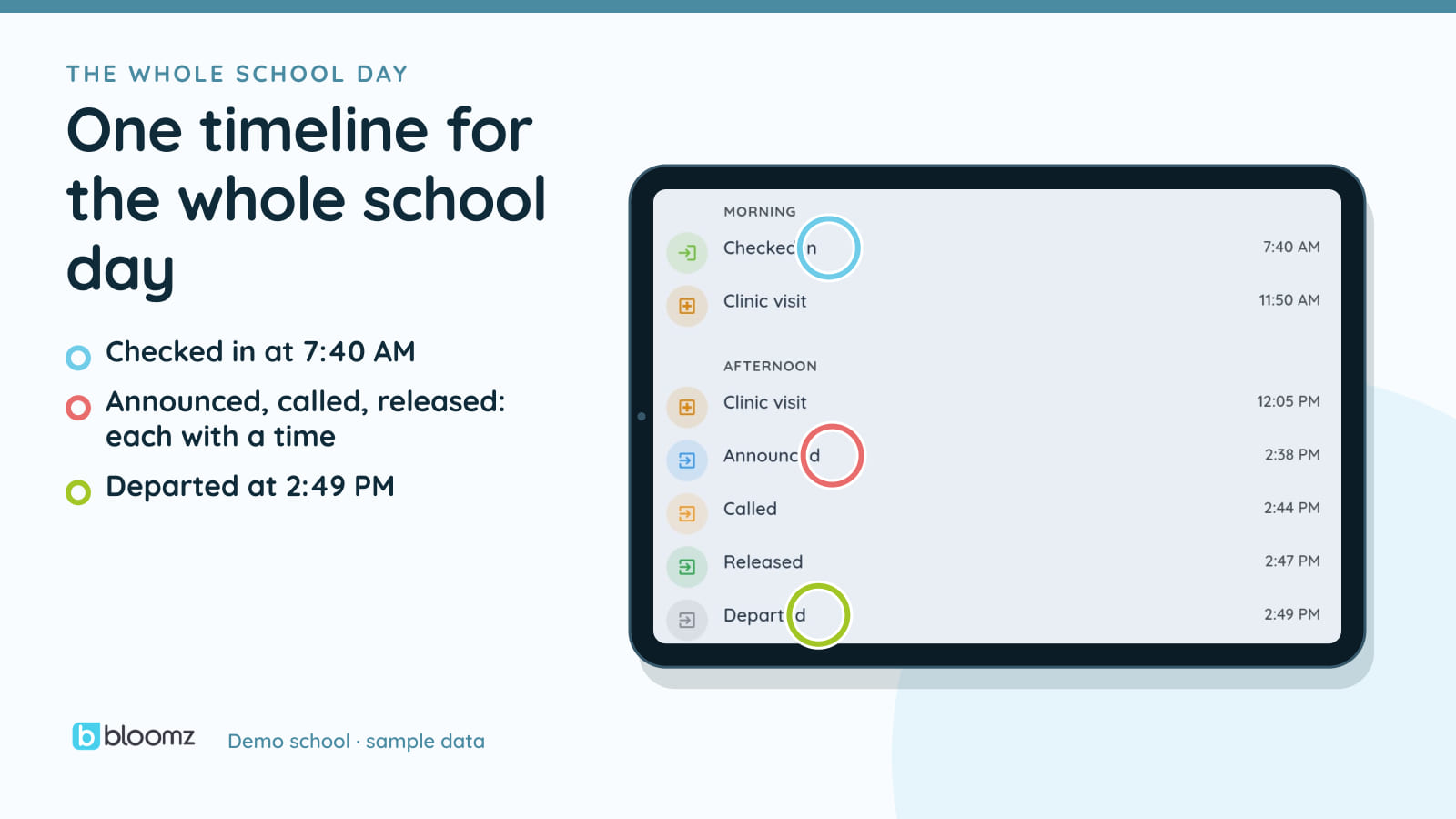
The centerpiece is the Student Day Timeline: arrival, hall passes, clinic visits, absences, recognition, SEL check-ins, tutoring, library visits and dismissal, on one chronological rail per student, per day. The other modules run on the same platform, but visitors, bus status, athletics, menus, substitutes and volunteer hours are not timeline events.
Staff pull up any student and read the day in order, with an MTSS context chip from Thrive right at the top, so a counselor reading a rough Tuesday knows whether it’s a blip or a pattern. Parents get a live Today card, filtered by what your school’s policy chooses to share — SEL shows that a check-in happened, never the answers. And “how was school today?” finally has an answer by the time you’re home.
The day, module by module
The rest of the day runs on the same platform — each module small on purpose. Some feed the timeline; others (visitors, athletics, bus, menus, substitutes, volunteer hours) run alongside it:
- Dismissal & Safety — weekly pickup plans, delegated adults, a one-tap “Announce I’m Here,” a live car-line console with verified pickups, and hall passes with overstay alerts. (The car line comes to Bloomz.)
- Visitor Management — kiosk sign-in, watchlist screening, photo badges, and one visitor board — visitors sign in on the same platform as your staff and students, so the office sees who is in the building.
- Office Referrals — a standardized referral filed from a phone in under a minute, a triage queue, SWIS-style Big-5 reports, and an equity view.
- Clinic & Medication Log — nurse visits with health context already on file, and a tap-to-confirm medication record.
- Athletics & Clubs — schedules and scores on the family calendar and your public site, straight from the sideline.
- Extended Day — after-school programs where a student marked departed with the After School method is checked in automatically, once Dismissal and Extended Day are on and the student is on the program roster. The 3-to-6 p.m. blind spot, closed.
- Campus Life — lunch menus that flag items matching a child’s on-file allergies, a library log, time-boxed substitute access, tutoring that attaches to Thrive cases, automatic volunteer hours, and staff-reported bus status with instant family push.
A note on how these ship, because honesty is a feature too: most new modules are off by default (Volunteer Hours comes on with Coordination) — your district or school decides what turns on. Bus status in v1 is staff-reported, with no GPS and no student location collected, ever. Visitor screening runs against your school’s own watchlist. And announcing at dismissal is a tap, not a tracker — a parent’s location is never sent to Bloomz.
One platform, still
The other half of “unified” hasn’t changed: this is still one login, one contract, one app that families already open — with everything translated, everything on the same student record, and 5–10 separate point tools retired in the process.
The full guided walkthrough — what’s included in your plan and what’s available to add — is at bloomz.com/whats-new-2026. Welcome to the new Bloomz.